 option.
 Personal contact information can be changed at anytime by logging into
the ACTS Online system and selecting the option.
You may edit your name, address, and/or phone number(s) by clicking on any of these options from the Edit Profile page.
1. Login.
2. Click from
the top toolbar.
3. The following screen will appear with your information populated in the fields.
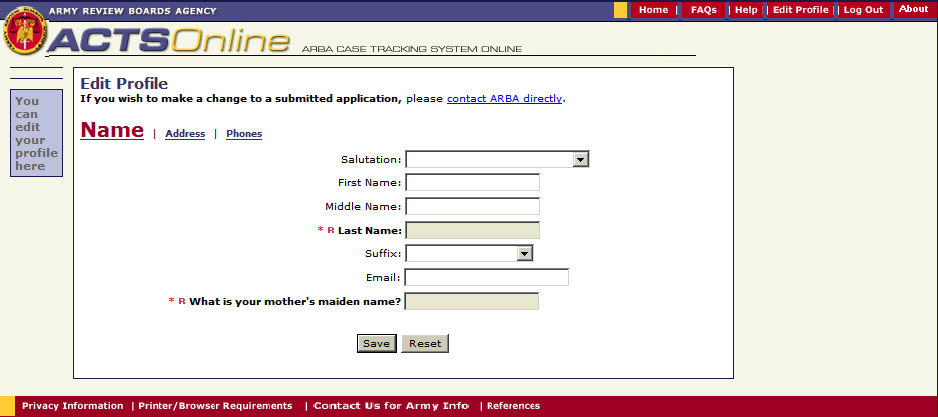
4. At the top of the screen select Name, Address or Phones.
5. Change or add information.
6. Click Save.
7. To return to the main page you can either:
Click the Home button in the top right hand corner or
Click the ACTS Online icon in the top left hand corner
Note:
The Reset button will clear out all the data on this screen.
(Also see - Change Data)